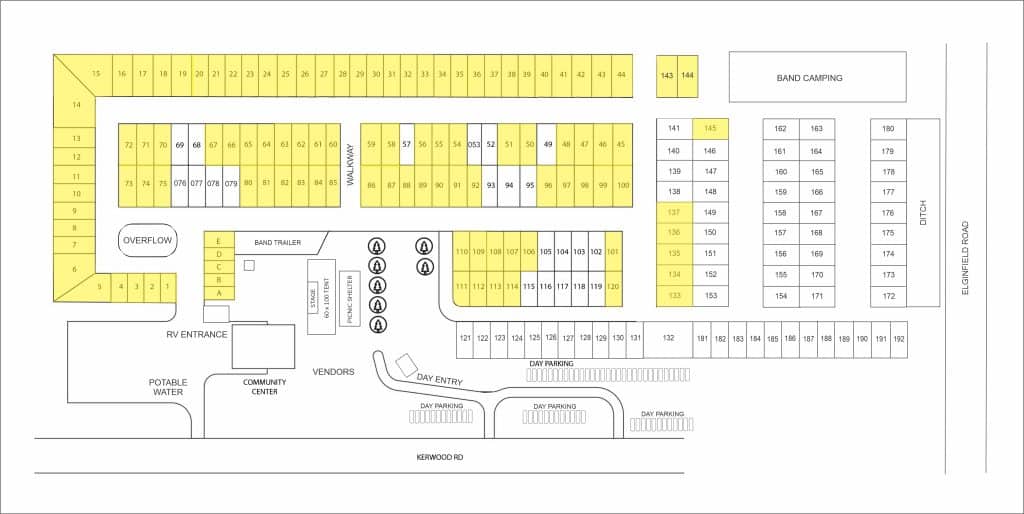
Campsites must be both booked and paid to reserve your site. Only one campsite per booking please. If you need an additional site please submit again.
INSTRUCTIONS TO BOOK YOUR SITE
1 – Choose your site – Yellow highlight indicates a spot is unavailable. If you get an message saying this spot is not available when trying to book a spot that shows available on the map it is due to the map only being updated weekly.
2 – Fill out the form below
2 – Click Submit
3 – Pay for your site – you will be directed to a secure online payment page after you click submit. Please be patient. Your site will not be held until paid.
5 – Get your Weekend Passes on the BUY TICKETS PAGE